01. Welcome to Skill SEO Pro
Skill SEO Pro is a high-performance toolkit designed to dominate search engine rankings, optimize website speed, and harden security. This A to Z guide provides everything you need to scale your online presence.
Always ensure you click the Save Settings button at the bottom of the dashboard after modifying any module to apply your changes instantly.
02. Visual Startup Guide
Follow our 14-step high-definition visual guide to install and configure Skill SEO Pro like a professional.
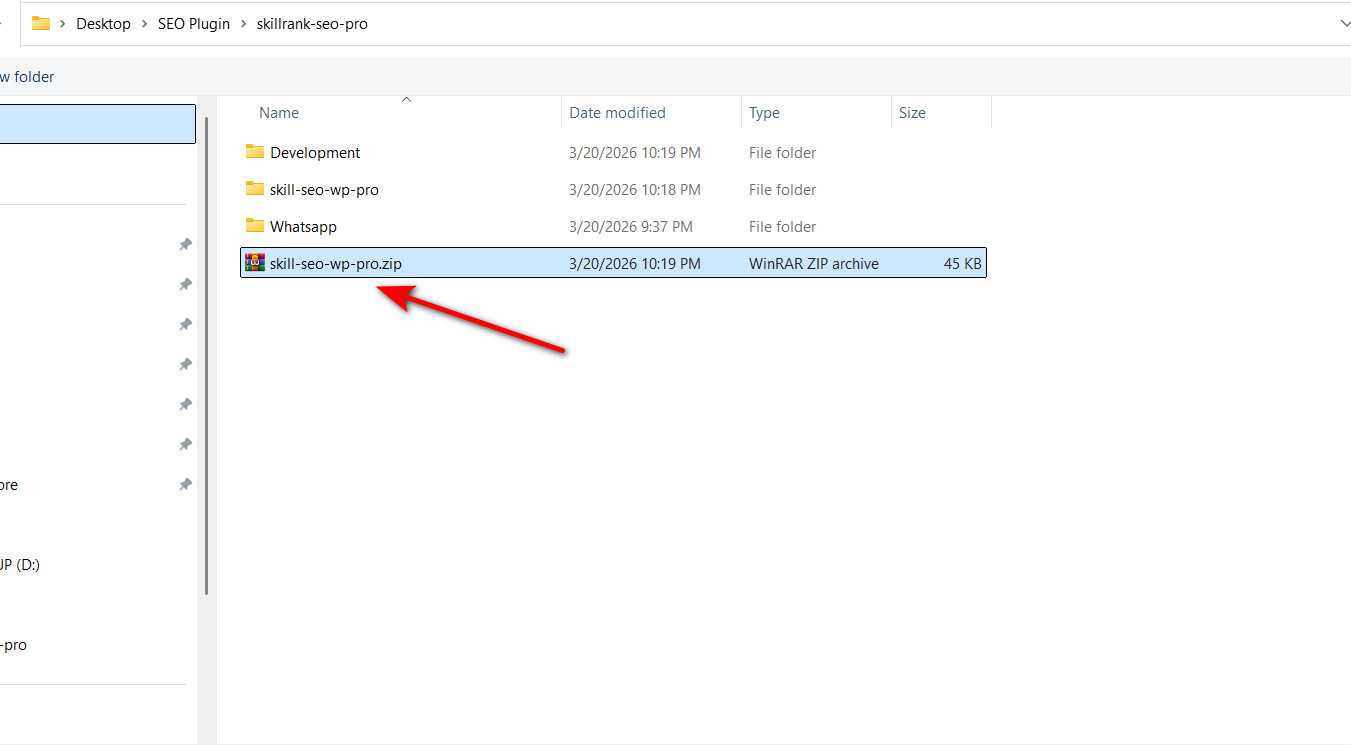
Step 1: Upload Plugin
Navigate to Plugins > Add New and upload theskill-seo-wp-pro.zip file.
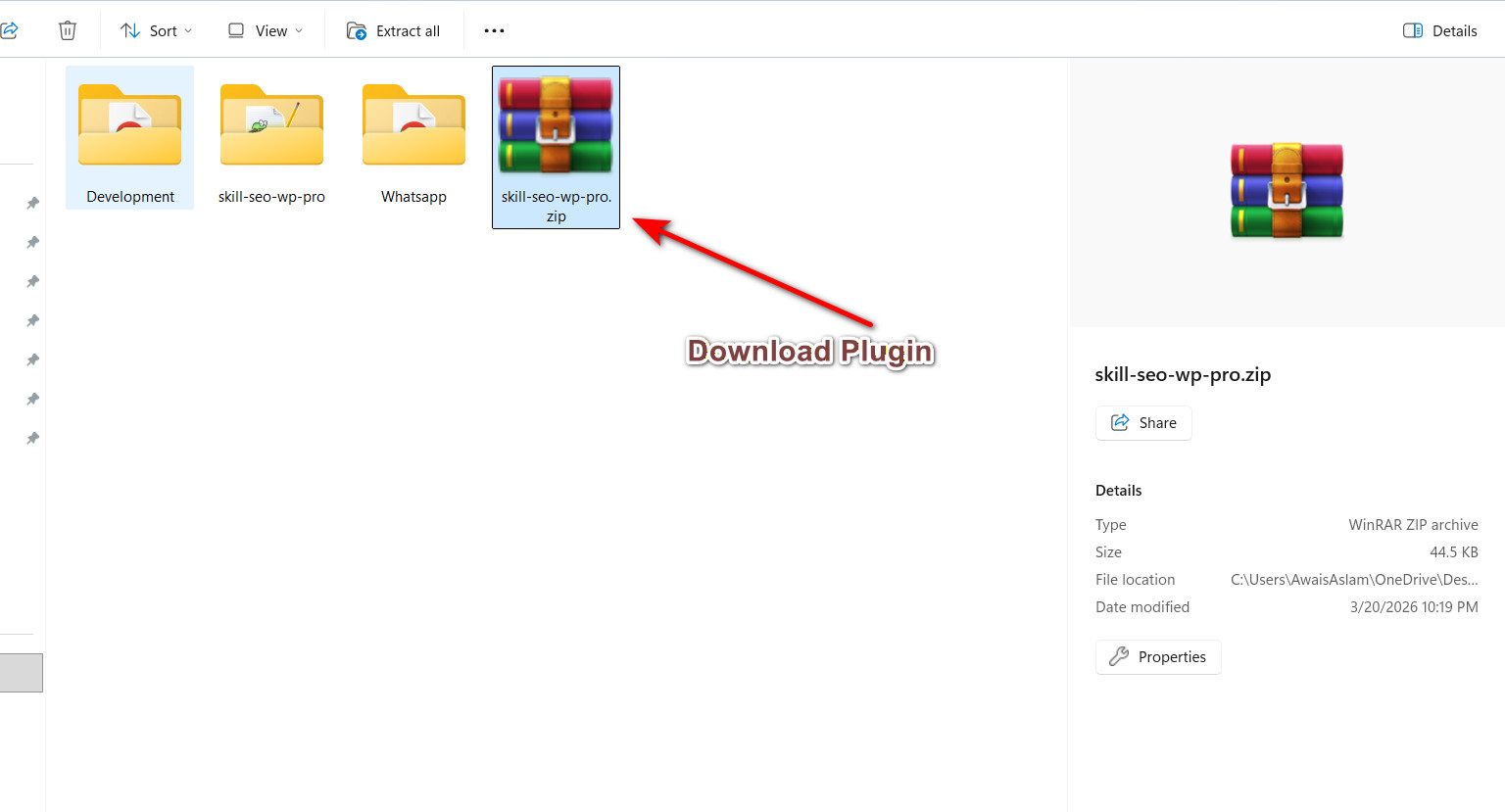
Step 2: Activate Engine
Click the Activate Plugin button to initialize the SEO engine.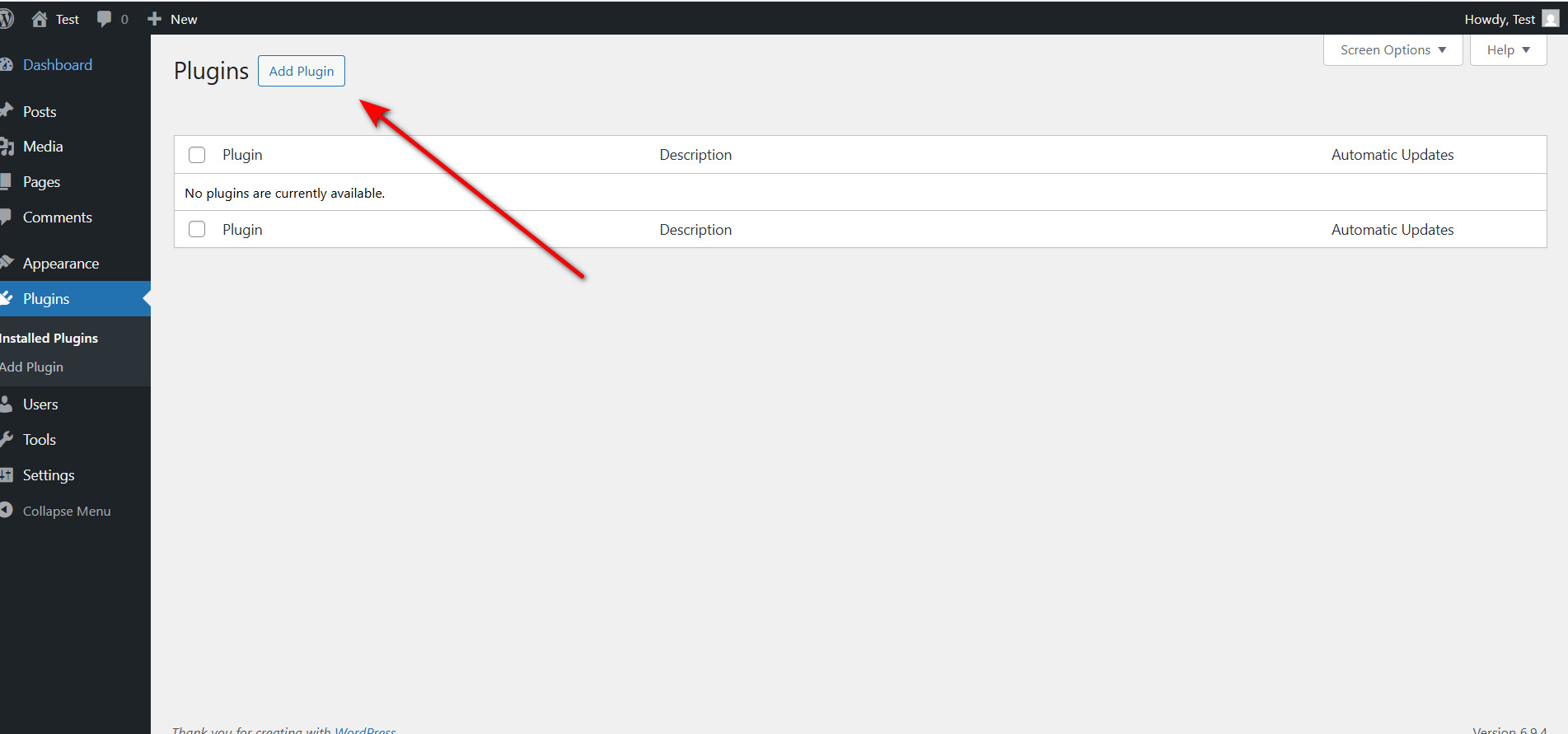
Step 3: Locate Admin Menu
The Skill SEO Pro menu will appear in your WordPress sidebar.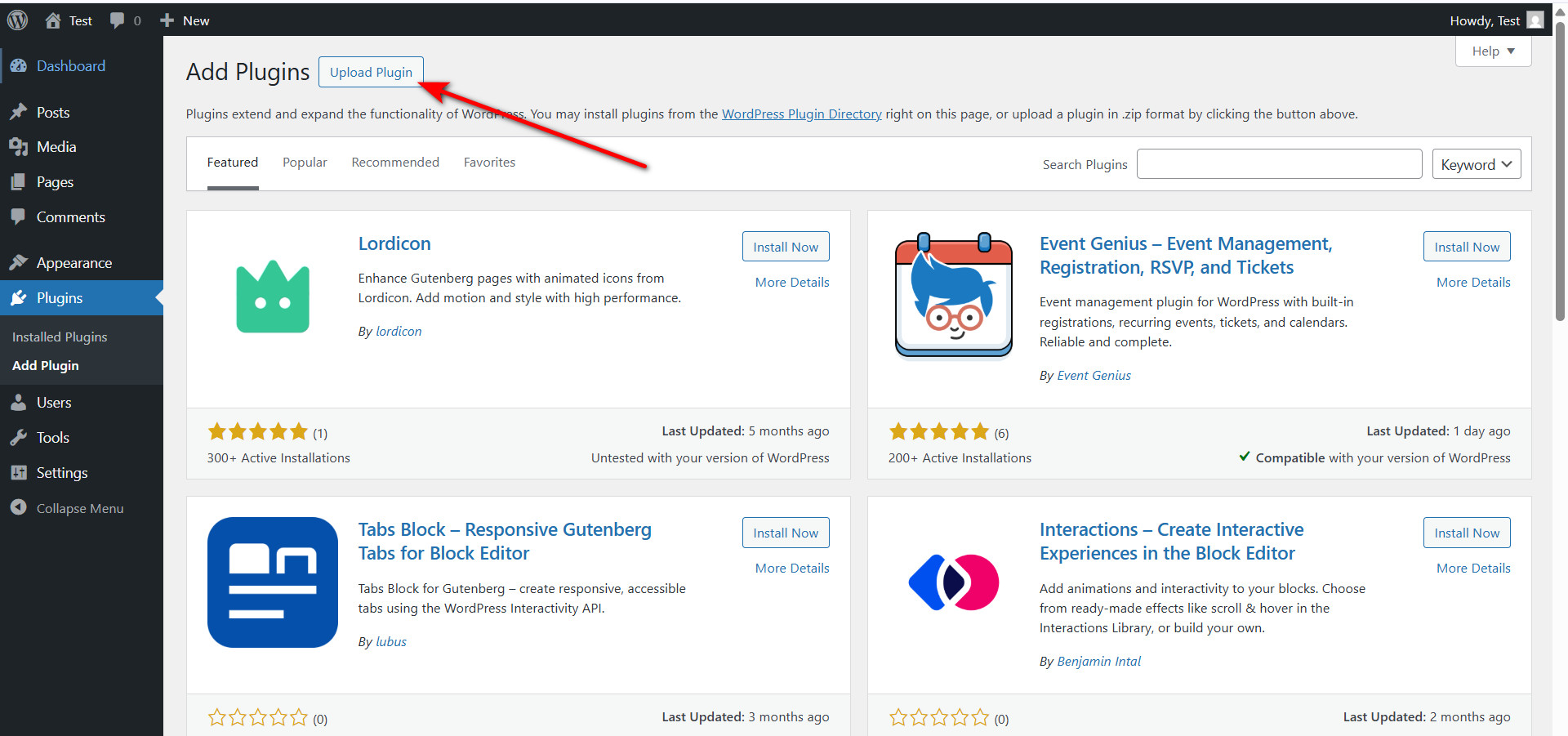
Step 4: Access License Panel
Open the License Activation tab to unlock premium capabilities.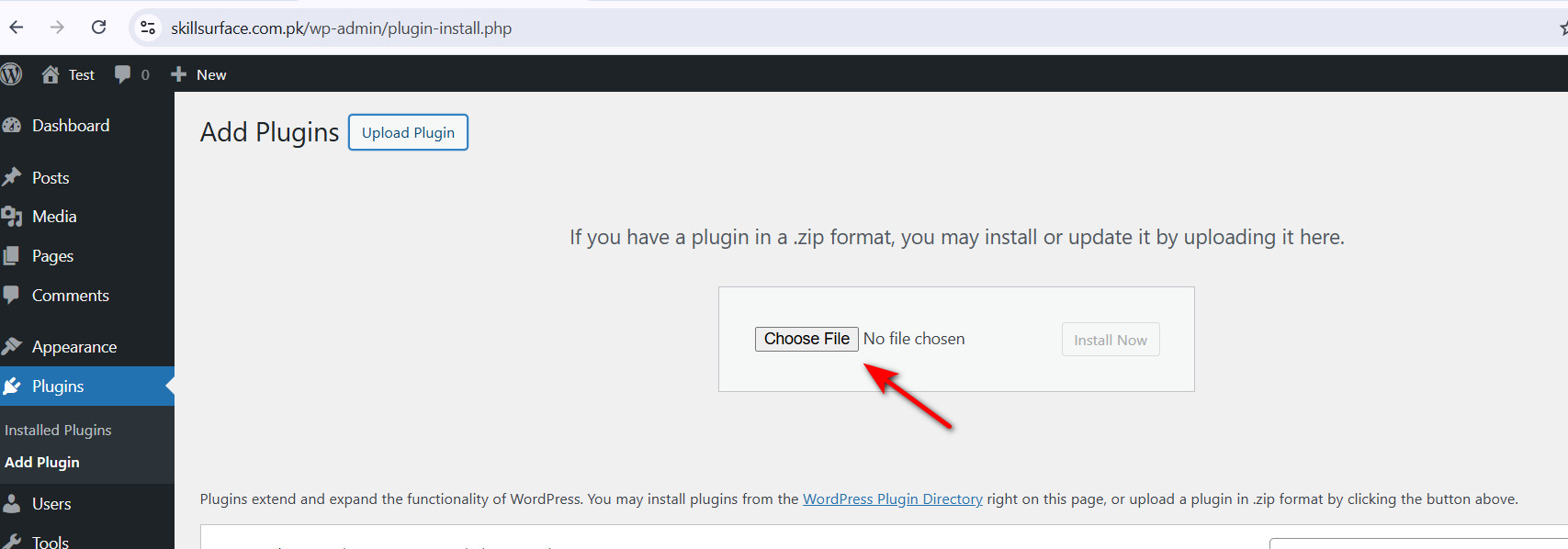
Step 5: Enter License Key
Paste the unique key provided in yourLicense Key.txt file.
Step 6: Full Access Unlocked
All advanced tabs (AI, Backups, Redirections) are now fully operational.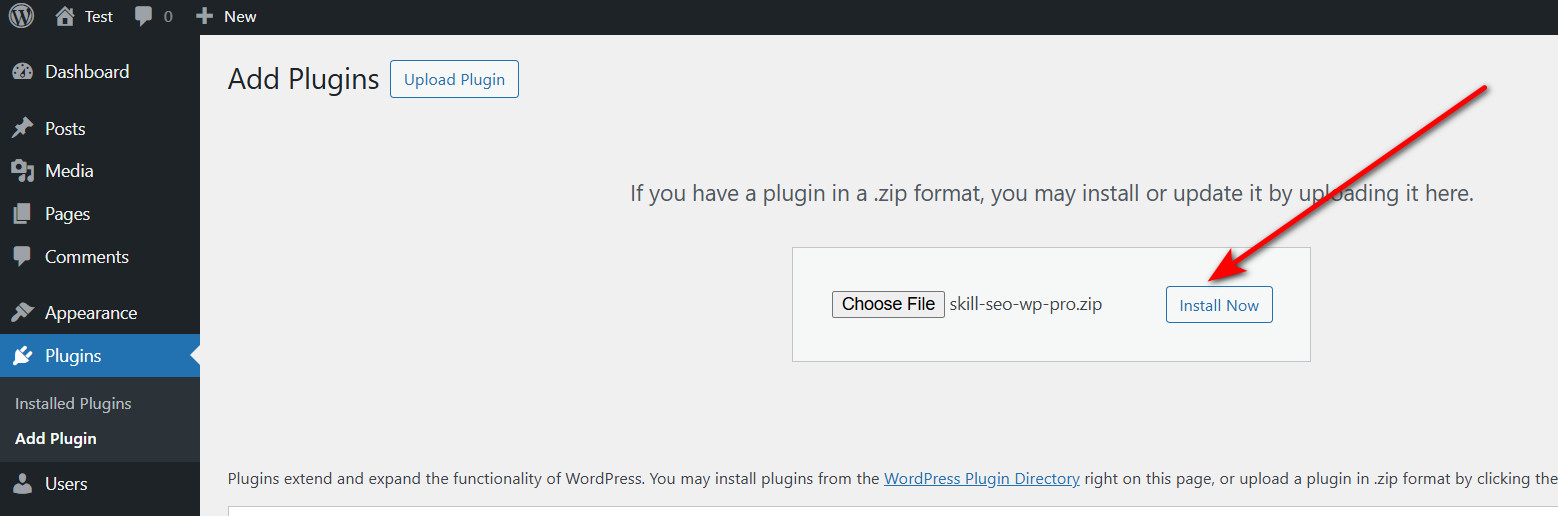
Step 7: Configure General Foundation
Set up Title Optimization and URL cleaning for a solid SEO base.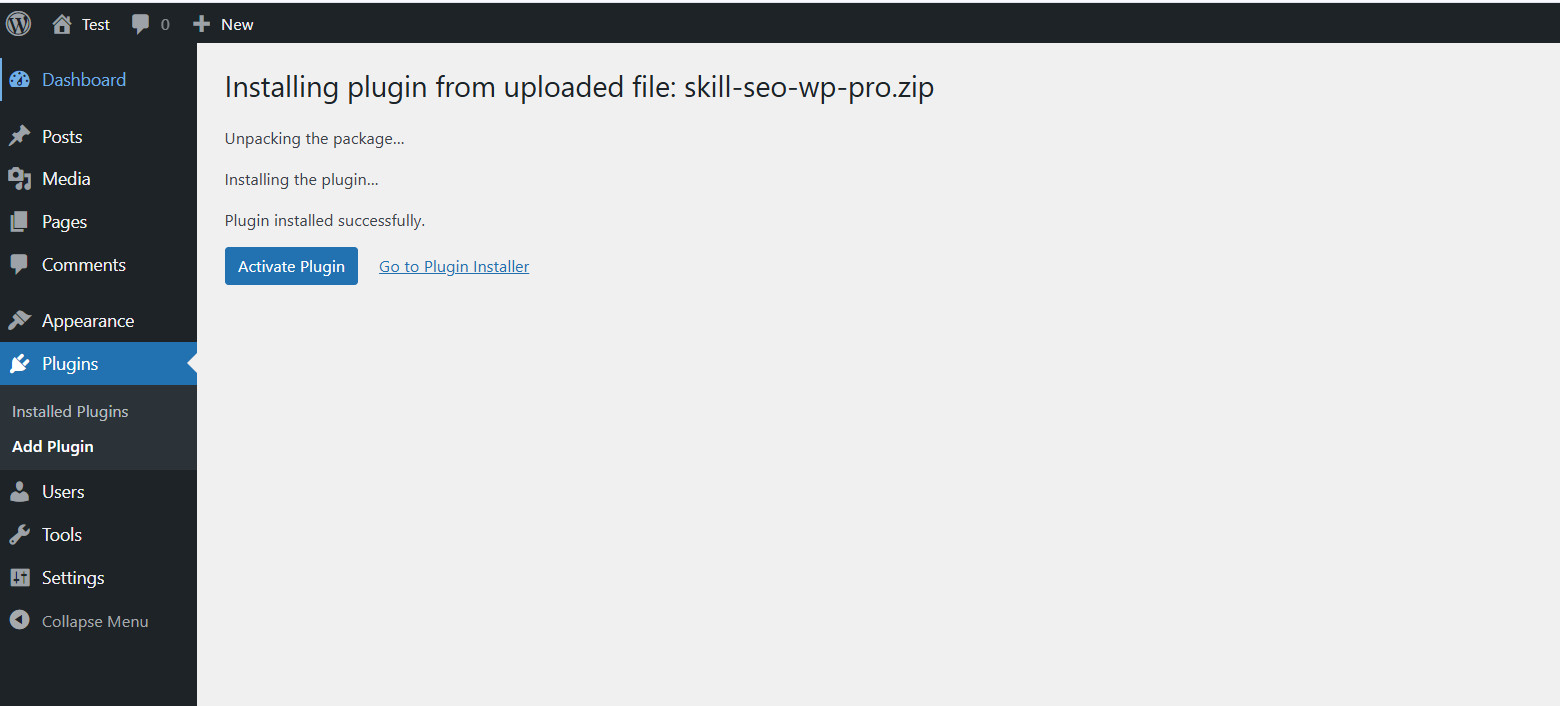
Step 8: Harden Site Security
Block bot registrations and disable spam comments globally.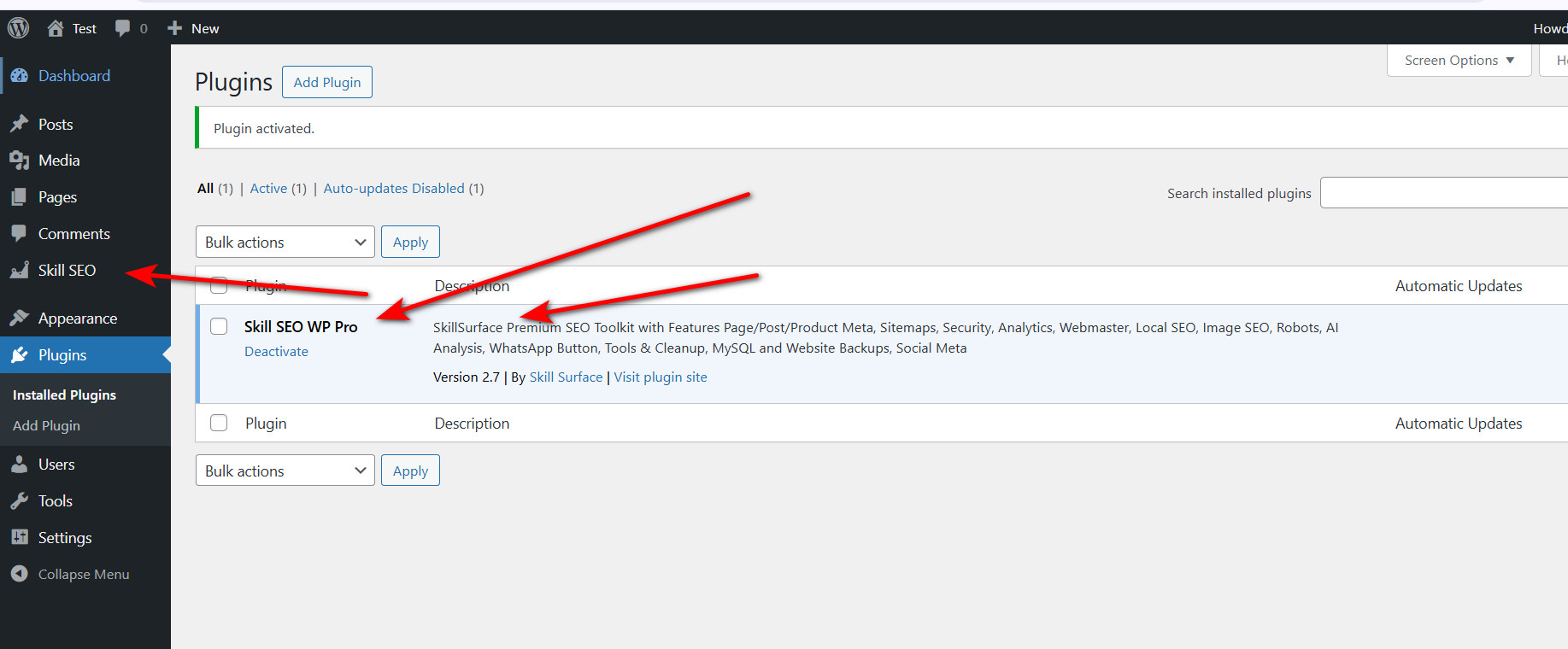
Step 9: Deploy Search Analytics
Enter your GA4 Measurement ID to start tracking user behavior.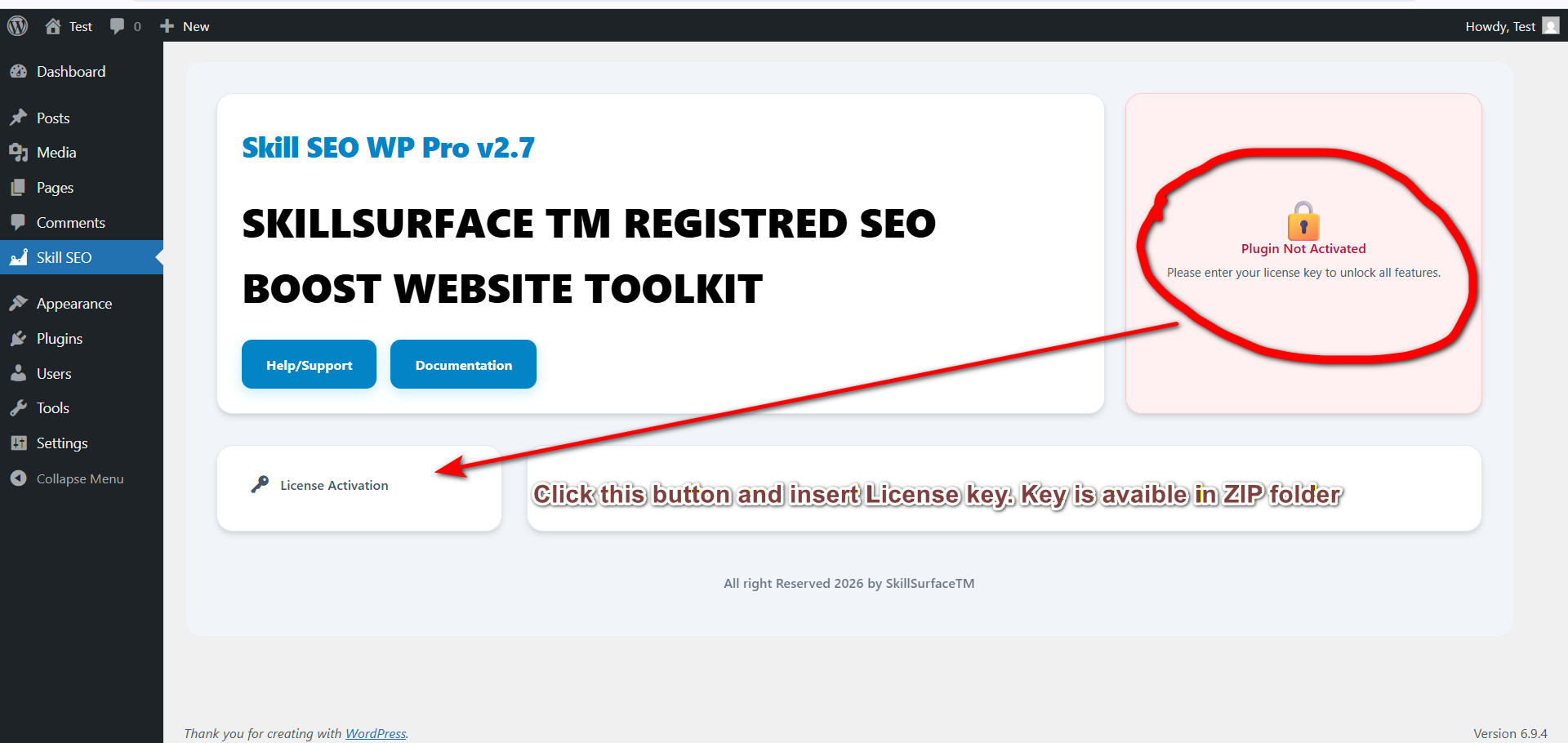
Step 10: Generate XML Sitemaps
Automate the indexing process for Google and Bing bots.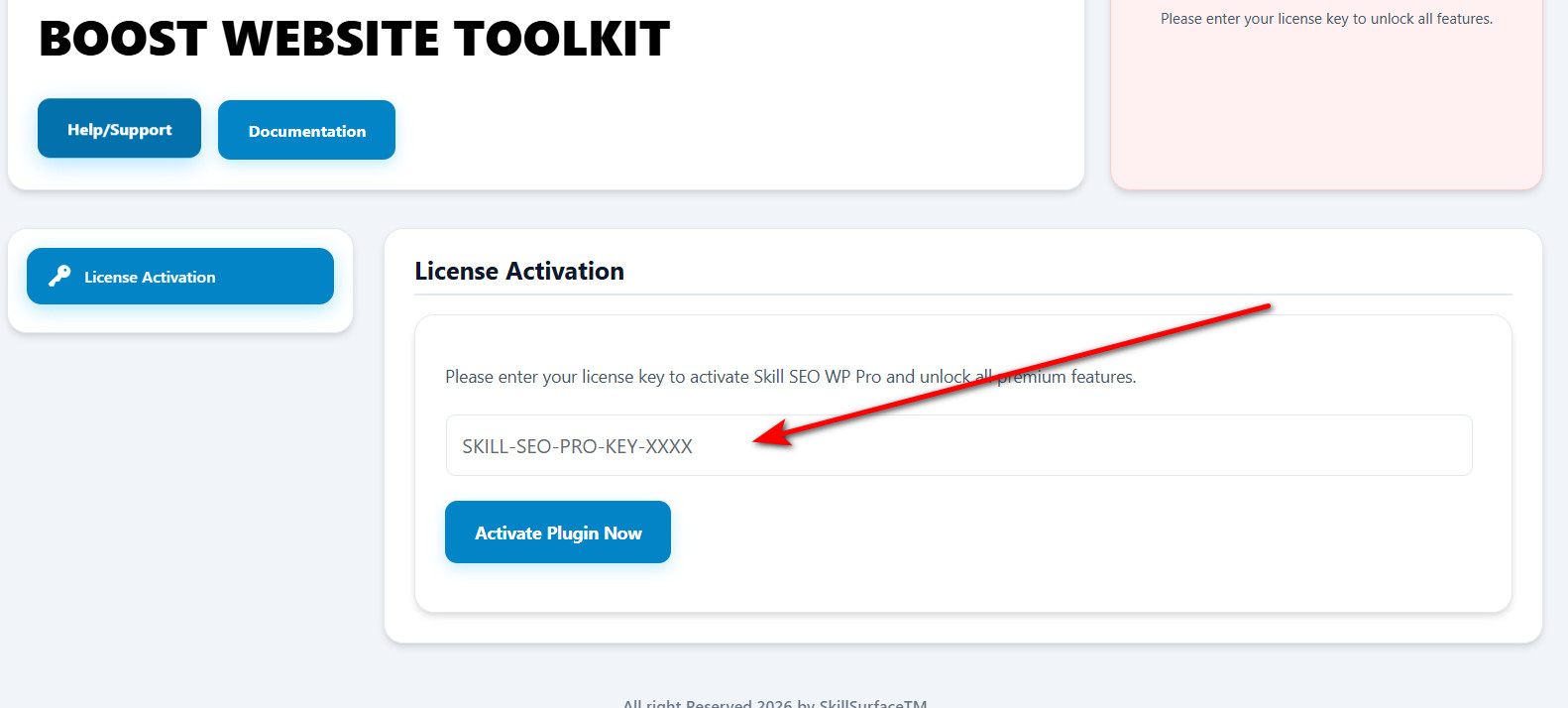
Step 11: AI Intelligence Setup
Verify your Google Gemini API key for real-time content analysis.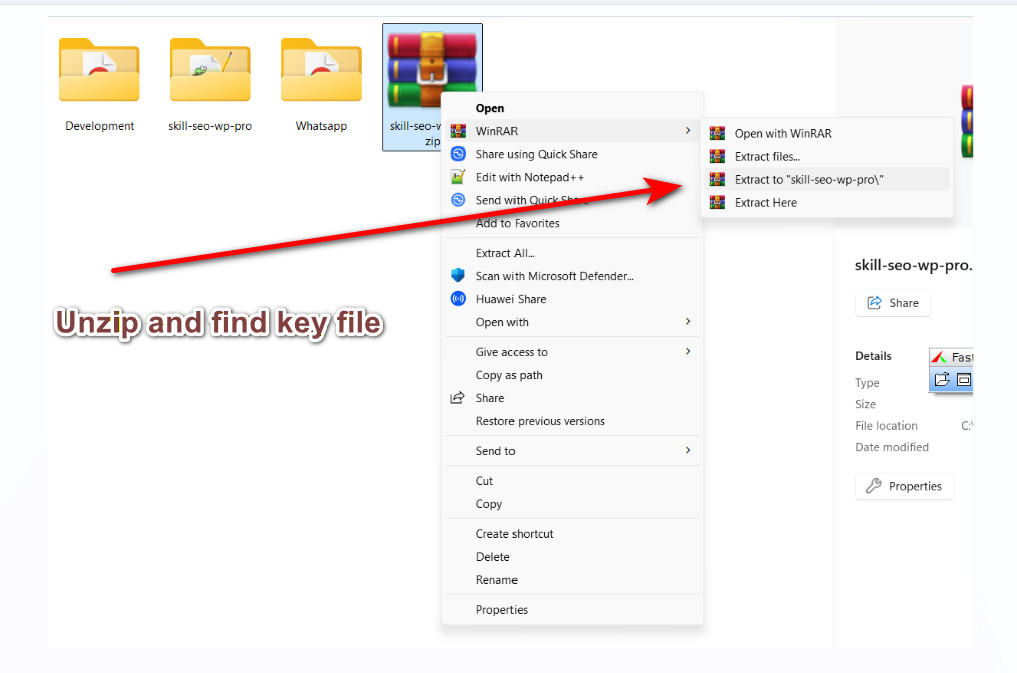
Step 12: Manage Link Integrity
Set up 301 redirects and scan for broken outgoing links.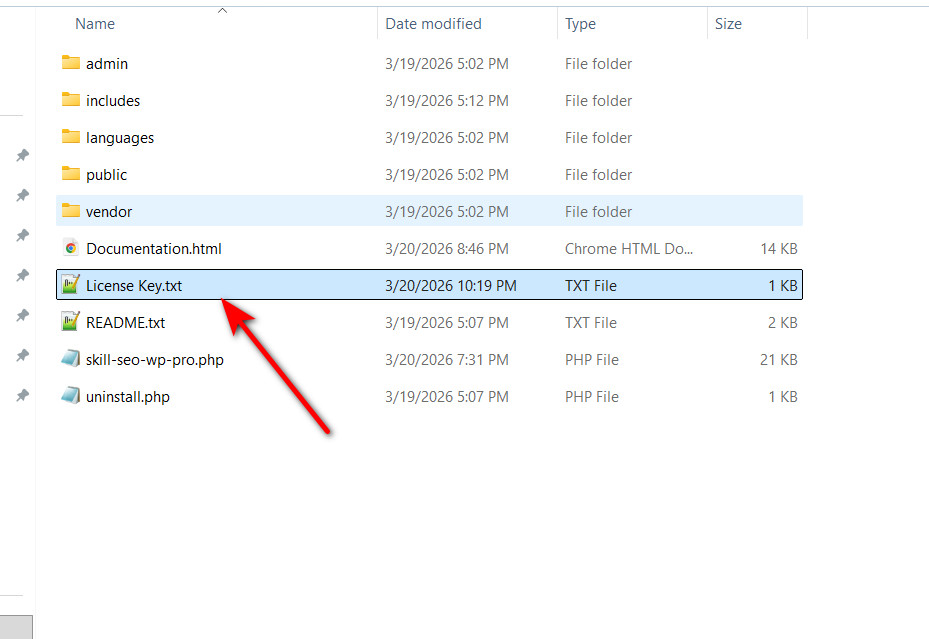
Step 13: Optimize Database Health
Clear overhead and transients to maximize server response times.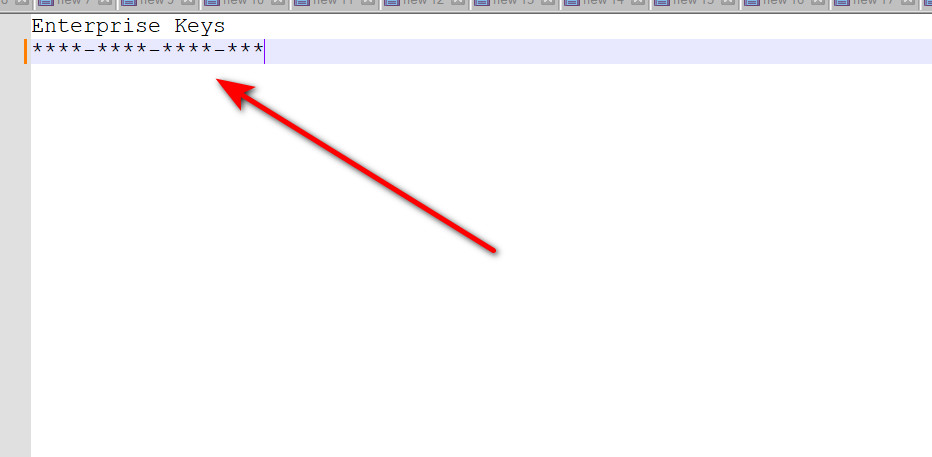
Step 14: Establish Data Backups
Create a full safety net for your content, themes, and plugins.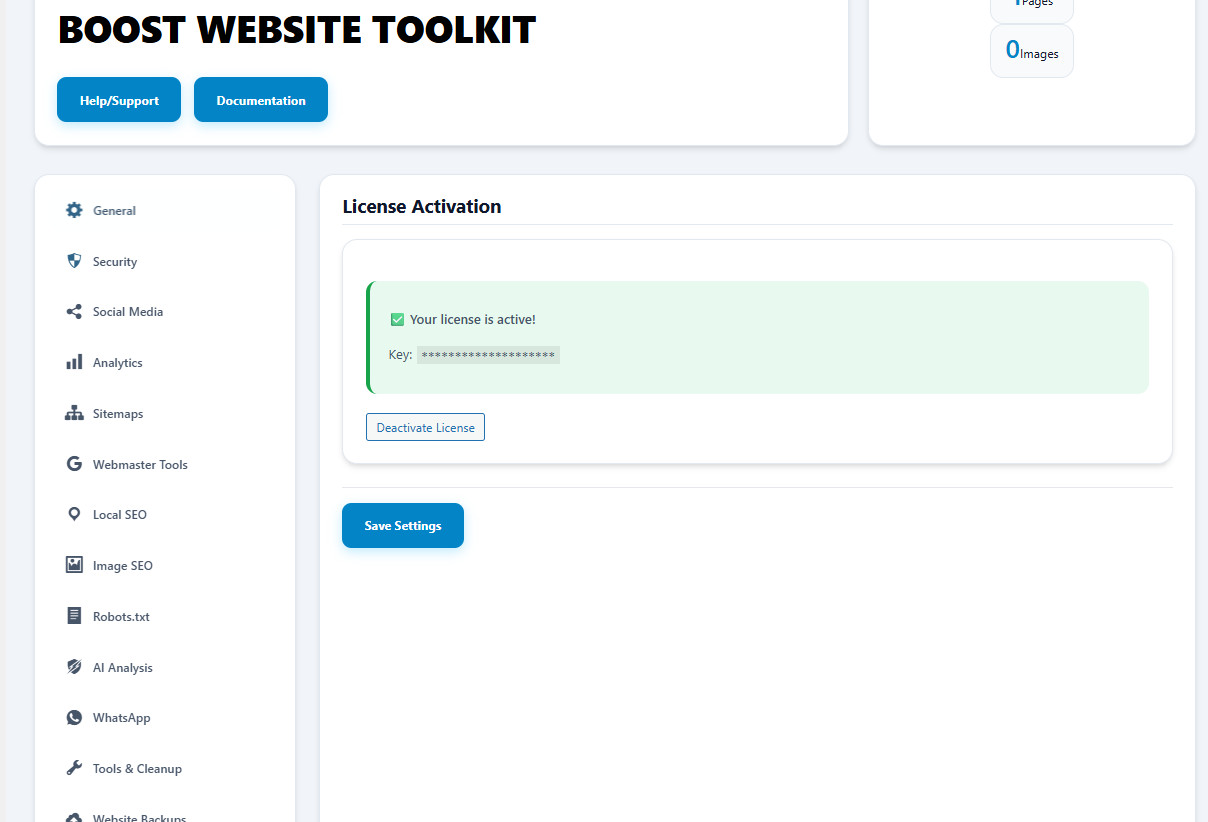
03. License Activation
Why Use This?
Unlocks the full power of Skill SEO Pro, including Gemini AI analysis, automated sitemaps, and professional database cleanup tools.
Benefit
Gain lifetime access to algorithmic updates, security patches, and 24/7 priority support from the SkillSurface engineering team.
04. General Settings
Why Use This?
Controls the structural SEO of your WordPress site, ensuring your titles and URLs are clean and crawlable.
Benefit
Improves SERP presentation and Click-Through Rates (CTR) while making your site navigation more intuitive for users.
05. Site Security & Anti-Spam
Why Use This?
Spam bots target WordPress sites to inject malicious links and bloat the database with thousands of fake users.
Benefit
Protects your site authority, reduces server overhead, and keeps your registration list restricted to real humans.
07. Search Analytics & Tracking
Why Use This?
You cannot scale what you cannot track. This module bridges your site with Google's GA4 engine.
Benefit
Understand user intent by tracking internal search keywords and monitoring overall visitor flow in real-time.
08. XML Sitemaps
Why Use This?
Provides a direct roadmap of your site's architecture to search engine crawlers for faster discovery.
Benefit
Ensures deep-level pages are indexed and notifies Google instantly when you publish new content.
09. Site Verification (Webmaster)
Why Use This?
Required to prove ownership of your domain to Google, Bing, and Pinterest search engines.
Benefit
Gain access to critical search performance reports and manual indexing tools without editing code files.
10. Local SEO & Business Schema
Why Use This?
Tells Google exactly where your business is located and what services you offer via JSON-LD schema.
Benefit
Increases your visibility in the "Google Maps 3-Pack" and enables rich snippets like address and phone in search.
11. Image SEO & Alt Text
Why Use This?
Search engines cannot "see" images; they read the ALT text to understand what an image depicts.
Benefit
Drives massive traffic from Google Image Search and ensures your site is ADA-compliant for screen readers.
12. Robots.txt Editor
Why Use This?
Directly instructs search engine bots on which pages to crawl and which to ignore (like private directories).
Benefit
Optimizes your "Crawl Budget," ensuring Google spends its time on your valuable content rather than junk pages.
13. AI Content Intelligence (Gemini)
Why Use This?
Leverages Google's neural networks to audit your content for SEO relevancy and semantic keyword density.
Benefit
Acts as an expert SEO consultant, providing real-time feedback on how to improve your rankings while you write.
14. Redirections & 404 Fixer
Why Use This?
Broken links (404 errors) lead to a poor user experience and loss of search ranking authority (link juice).
Benefit
Seamlessly transfer SEO power from old or broken URLs to new content, keeping visitors engaged on your site.
15. Internal Link Tools
Why Use This?
Broken external links can lead to "Toxic Link" penalties from Google. Internal links define your site's hierarchy.
Benefit
Quickly identify and fix dead links that frustrate users and hurt your technical SEO profile.
16. WhatsApp Business Widget
Why Use This?
Instant chat widgets convert visitors into customers 5x faster than traditional contact forms.
Benefit
Build trust and provide real-time support directly to your customer's phone from your website.
17. Database Tools & Cleanup
Why Use This?
WordPress databases accumulate "junk" data over time (overhead), which significantly slows down your site.
Benefit
Faster SQL queries lead to better PageSpeed scores and a more responsive admin dashboard.
18. Backups & Recovery
Why Use This?
Server crashes, malicious hacks, or bad updates can destroy your site in seconds. Backups are your insurance.
Benefit
Restore your entire business in minutes. Total peace of mind before making major site architectural changes.
06. Social Media Meta (Open Graph)
Why Use This?
Allows you to control how your content appears when shared on Facebook, X (Twitter), and LinkedIn.
Benefit
Increases viral potential by ensuring every shared link looks beautiful with high-res images and descriptive titles.